
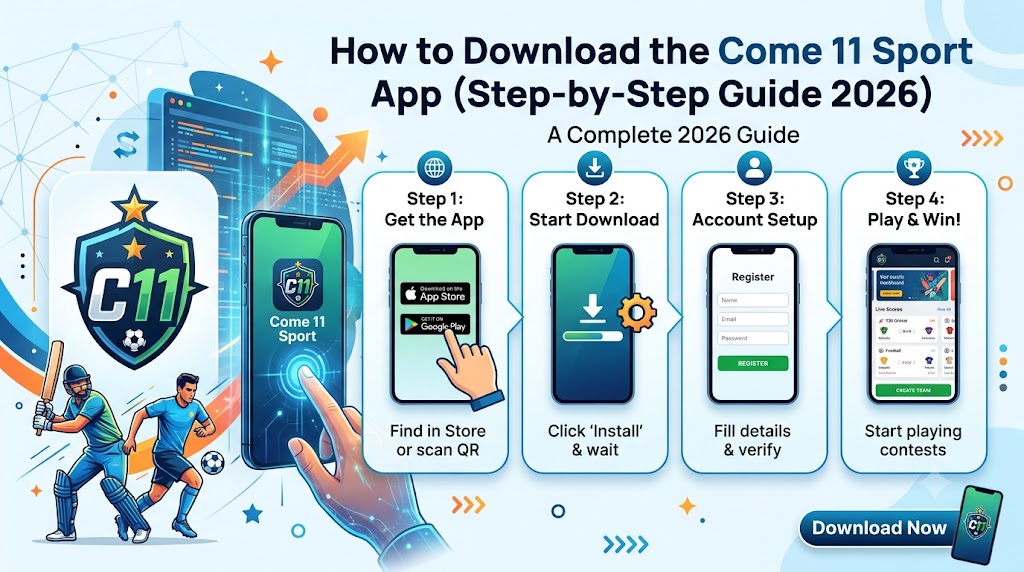
If you’re searching for a fantasy cricket app right before toss, you want three things: a quick install, a lobby showing today’s fixtures, and a team builder that doesn’t waste time. The Come11 Sport download is built around exactly that sequence.
Most fantasy cricket users in India have a simple routine: check the match schedule, open the app, build a team, join a contest, and follow live points. But before any of that can happen, the app must be installed and verified. This guide walks you through the complete install process — from finding the official download to completing phone verification — so you can join your first IPL contest without confusion.
The goal here is clarity, not hype. By the end of this guide, you’ll know exactly where to download, what to avoid, and how to get from install to contest in the shortest possible path.
Why Come11 Sport Download Uses a Direct APK
Many users prefer a direct APK because they don’t want to wait on store listings, region filters, or long update queues. On a stable 3G or better connection, the Come11 Sport download is quick. After the file is on your phone, you install it, open the app, and continue with phone verification inside the app.
Direct downloads are common for fantasy sports apps in India because they give users faster access and avoid store delays. However, this also means users must be more careful about where they download from. The official website is the only safe source.
The app is designed as a mobile-first experience. The lobby is the home screen — today’s cricket, contest entry, and your teams all in one place. There’s no maze of unrelated screens to navigate.
Step-by-Step: Come11 Sport Download
Step 1: Open the Official Website
Go to the official Come11 Sport website. Only Come11 Sport download from the official source — not from lookalike pages or forwarded links.
Step 2: Tap the Download Button
Tap the download button on the homepage. The APK file will begin downloading to your phone.
Step 3: Allow Install From This Source
Your phone may ask for permission to install from this source. Allow it only for this specific file. This is a standard Android security prompt.
Step 4: Install the App
Open the downloaded file and tap Install. Wait for the installation to complete.
Step 5: Open and Verify
Open the app. Complete phone verification with your number. Never share OTP, PIN, or screen-share access with anyone who messages you as “support.”
Step 6: Enter the Lobby
After login, you’ll land in the match lobby — today’s cricket, contest entry, and your teams in one place.
Step 7: Build Your First Team
Select a match, build a balanced XI, set captain and vice-captain, then join a contest that fits your entry comfort.
APK vs Play Store: What’s the Difference?
Feature | Direct APK | Play Store |
Install Speed | Fast | Depends on store listing |
Region Filter | No restriction | May be filtered |
Update Queue | Manual | Automatic |
Verification | In-app | In-app |
Neither option is inherently “better” — it depends on what you want. If speed and direct access matter to you, the APK route works well. If you prefer automatic updates, a store listing may suit you.
Red Flags: Fake APKs to Avoid
- ❌ “Mod” or “unlimited balance” files
- ❌ “Guaranteed win” claims
- ❌ Files sent via unknown WhatsApp/Telegram chats
- ❌ Pages asking for payment outside the app
If someone asks you to pay outside the app, share an OTP, or install a second “helper” file — stop immediately. These are common scam tactics that target fantasy cricket users.
What Happens After Install
Once the app is open, you should see a match lobby rather than a maze of unrelated screens. That lobby is the home of Come11 Sport download : today’s cricket, contest entry, and your teams in one place.
The typical first session is short: verify your phone, open today’s match list, build a team around roles, assign captain and vice-captain, join a contest, and track live points once the match starts.
FAQs
Q: Is the Come11 Sport app download free?
Yes. The download and install are free.
Q: Can I install it on iOS?
The current direct download is for Android. Check the official site for iOS updates.
Q: What if the install fails?
Check your storage space and connection speed, then retry. Ensure “install from unknown sources” is enabled for this file only.
Q: Do I need to pay to join a contest?
Some contests are free or low-entry. Paid contests require a deposit.
Final Thoughts
The Come11 Sport app download is designed to be simple: install, verify, pick a match, build a team, join a contest. Keep it to the official source, ignore lookalike APKs, and start with a low-entry contest while you learn.
The goal is not to overwhelm you with extra screens. The goal is to help you select a match, read player context, set captain and vice-captain, and enter a contest that matches how you like to play.